

Manage your DNS and transactional email
OVHcloud, Cloudflare, GoDaddy, IONOS, Namecheap, DigitalOcean and Scaleway zones; BIND import / export; Mailgun, SendGrid and Resend setup.
Connect an API key from your registrar or DNS provider: its domains appear in the DNS section of the sidebar, and each zone opens in its own tab.
Add a provider
In Integrations & Import → DNS, click + next to the provider, paste the key and save. Supported providers: OVHcloud, Cloudflare, GoDaddy, IONOS, Namecheap, DigitalOcean and Scaleway.
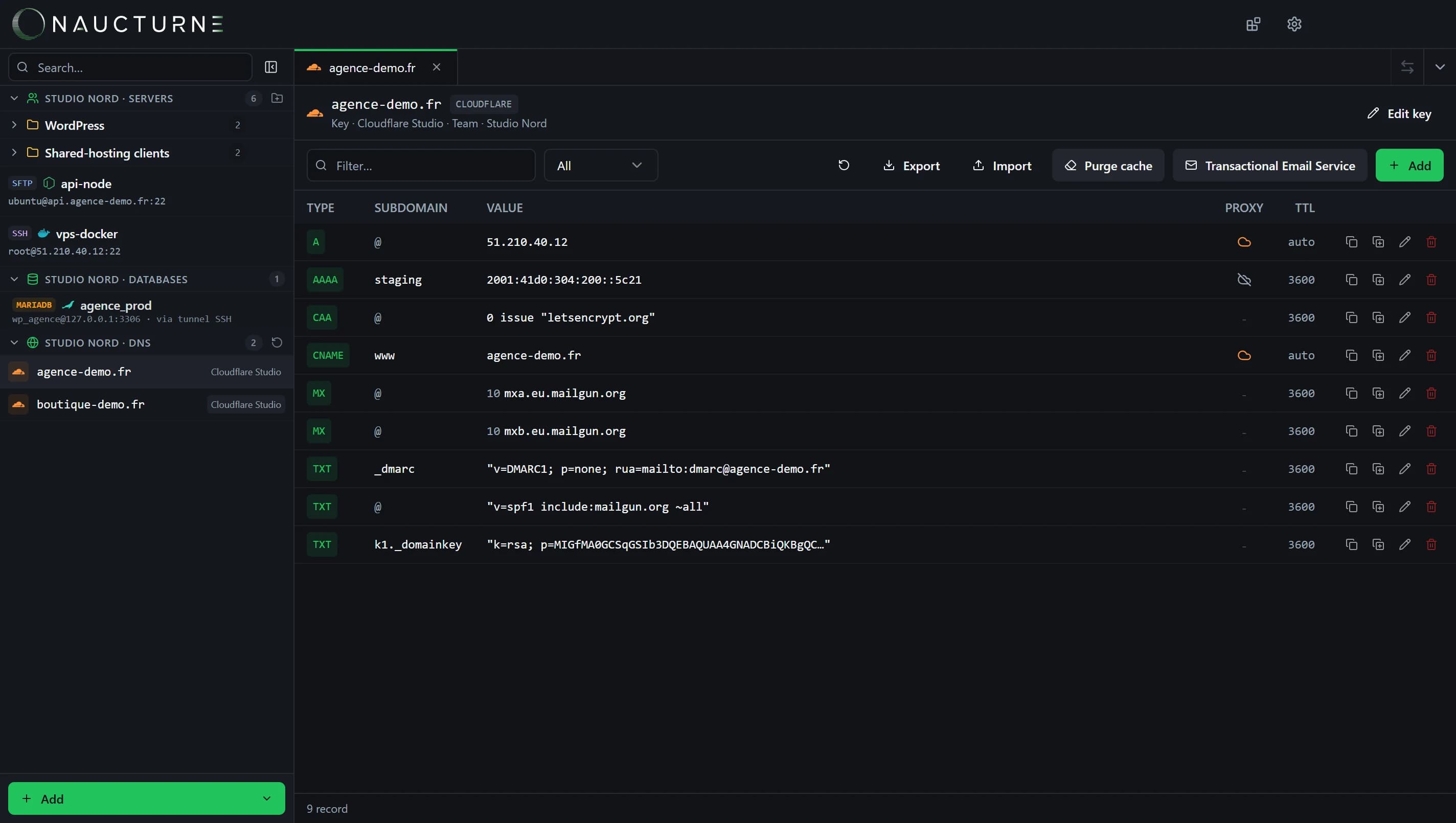
Edit a zone
- All common types: A, AAAA, CNAME, MX, TXT, NS, SRV, CAA and more.
- Filter by type or text, duplicate and edit records inline.
- Export / Import in BIND format, to back up a zone or move it between providers.
- Cloudflare: proxy toggle (orange / grey cloud) and Purge cache.
Where is your DNS really hosted?
Naucturne resolves each domain's name servers and tells you when a domain is registered with one provider but served by another.
Set up transactional email
A zone's Transactional Email Service button connects Mailgun (EU and US regions), SendGrid or Resend:
Pick the provider and sending subdomain
For example
mg.yourdomain.com.Let Naucturne write the records
SPF, DKIM, MX and DMARC are created in the zone, no copy-paste.
Verify the domain
Naucturne triggers verification with the provider and shows the sending key to paste into your application.
Free plan
Zones are read-only on the Free plan. Editing, BIND import / export and transactional email are included from Pro.
Keine Antwort gefunden?
Unser Team beantwortet jede Frage, jeden Fehlerbericht und jeden Vorschlag.