

Proxmox, DigitalOcean and Scaleway: your machines synced as sites
Connect a cluster or a cloud account: every VM, container, Droplet or Instance becomes a site that stays up to date automatically.
Instead of copying every machine by hand, connect your provider's API. Naucturne reads the inventory, creates one site per machine using the SSH access profile you define, and updates it when an IP address or a name changes.
Proxmox VE
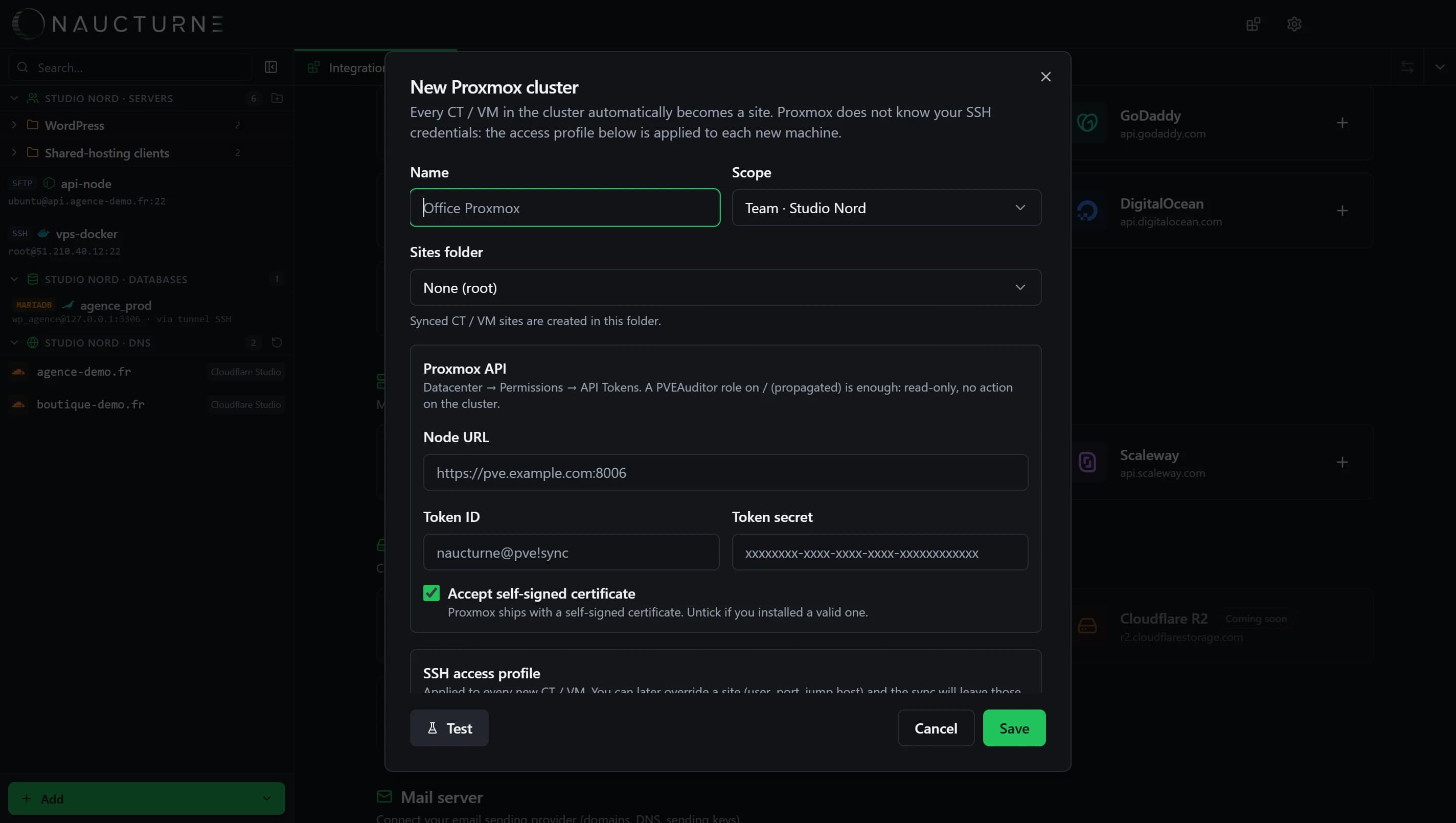
Create an API token
In Proxmox: Datacenter → Permissions → API Tokens. A PVEAuditor role on
/(propagated) is enough.Describe SSH access
Direct (each CT / VM's IP), through a ProxyJump relay (private IPs behind a bastion) or NAT (one shared host, one port per machine).
Save
Sync runs every 45 seconds: new machine → new site; deleted machine → site removed. If the API doesn't answer, nothing changes.
Synced sites stay editable: a user, port or relay you override by hand is no longer touched by the sync.
DigitalOcean
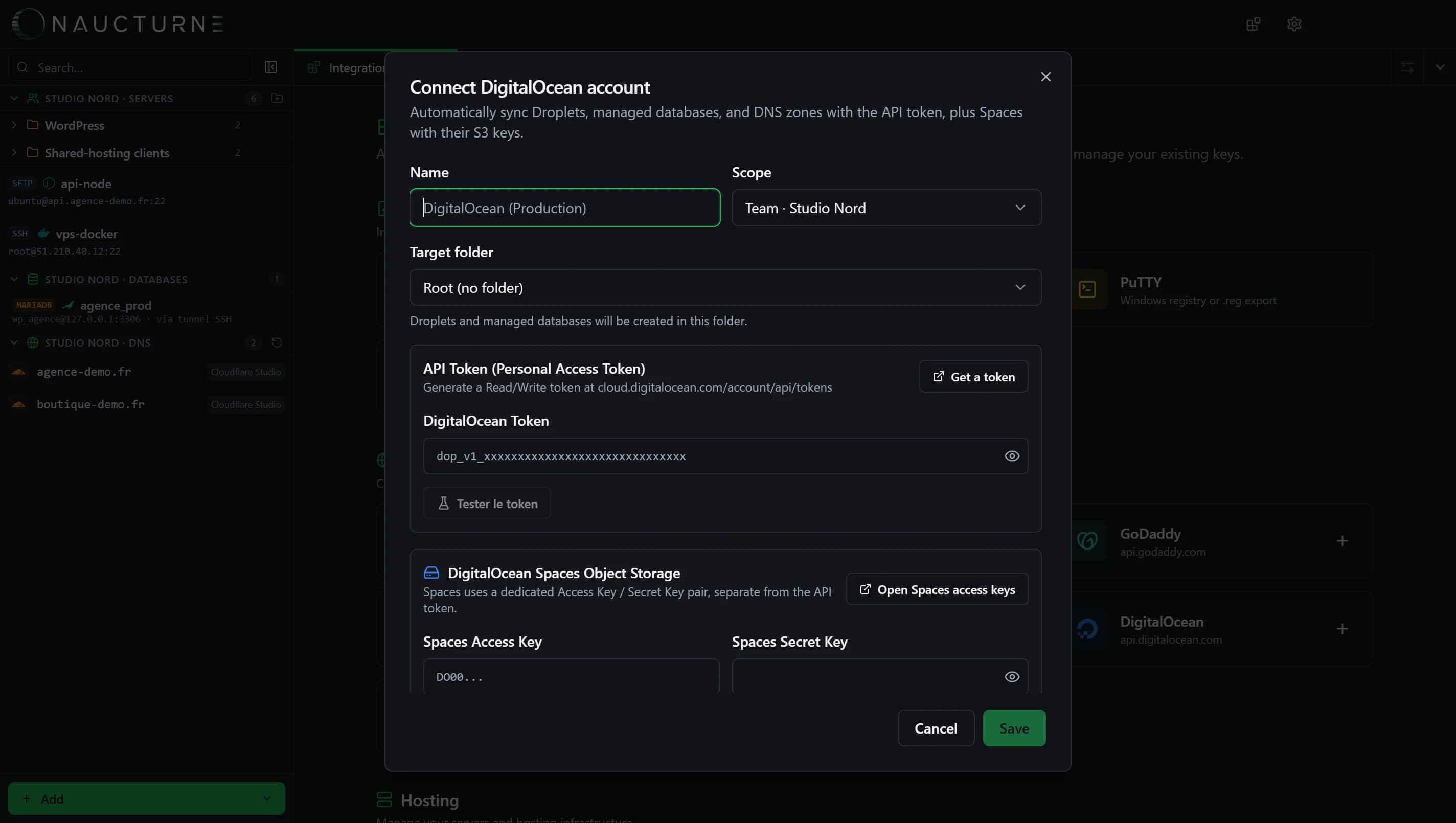
A Personal Access Token syncs your Droplets (SSH sites), managed databases and DNS zones. Add a Spaces key pair to browse your buckets like a file server (S3-compatible).
Scaleway
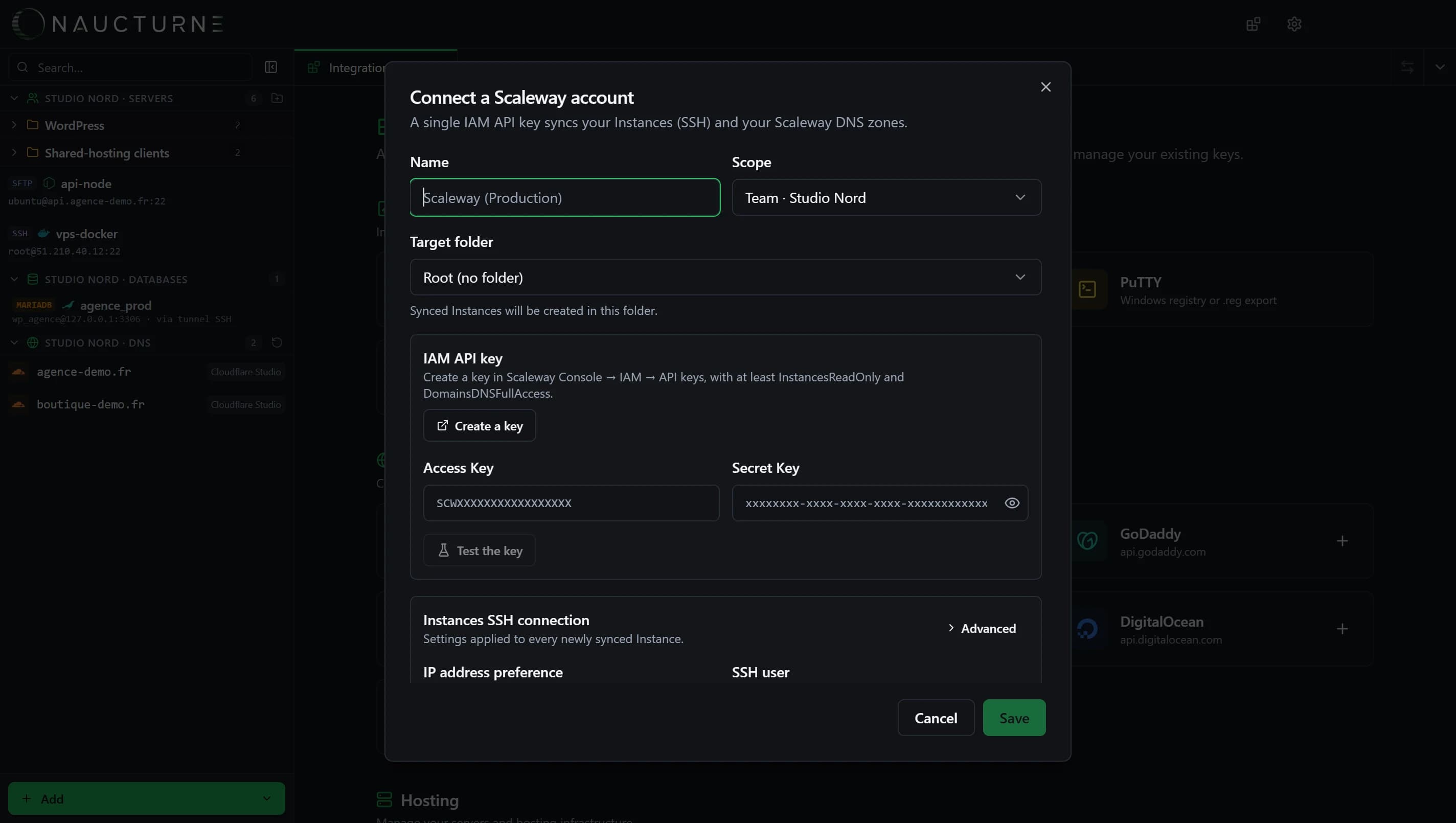
A single IAM API key (at least InstancesReadOnly and DomainsDNSFullAccess) syncs your Instances as SSH sites and your Scaleway DNS zones. You choose the public or private IP and the default SSH user.
Coming soon
Amazon S3, Cloudflare R2, MinIO and Scaleway Object Storage are planned for object storage. Check the status of each integration on the Integrations page.
Keine Antwort gefunden?
Unser Team beantwortet jede Frage, jeden Fehlerbericht und jeden Vorschlag.