

Im Alltag
Aktualisiert am 30. September 2026Databases: MySQL, MariaDB, PostgreSQL, SQLite and Redis
Direct connection, SSH tunnel or PHP gateway; browse tables, filter, run SQL, import and export.
The database client lives in the same app as your files. A database shows up in the sidebar (Databases section) as soon as it is attached to a server or created with Add → New database.
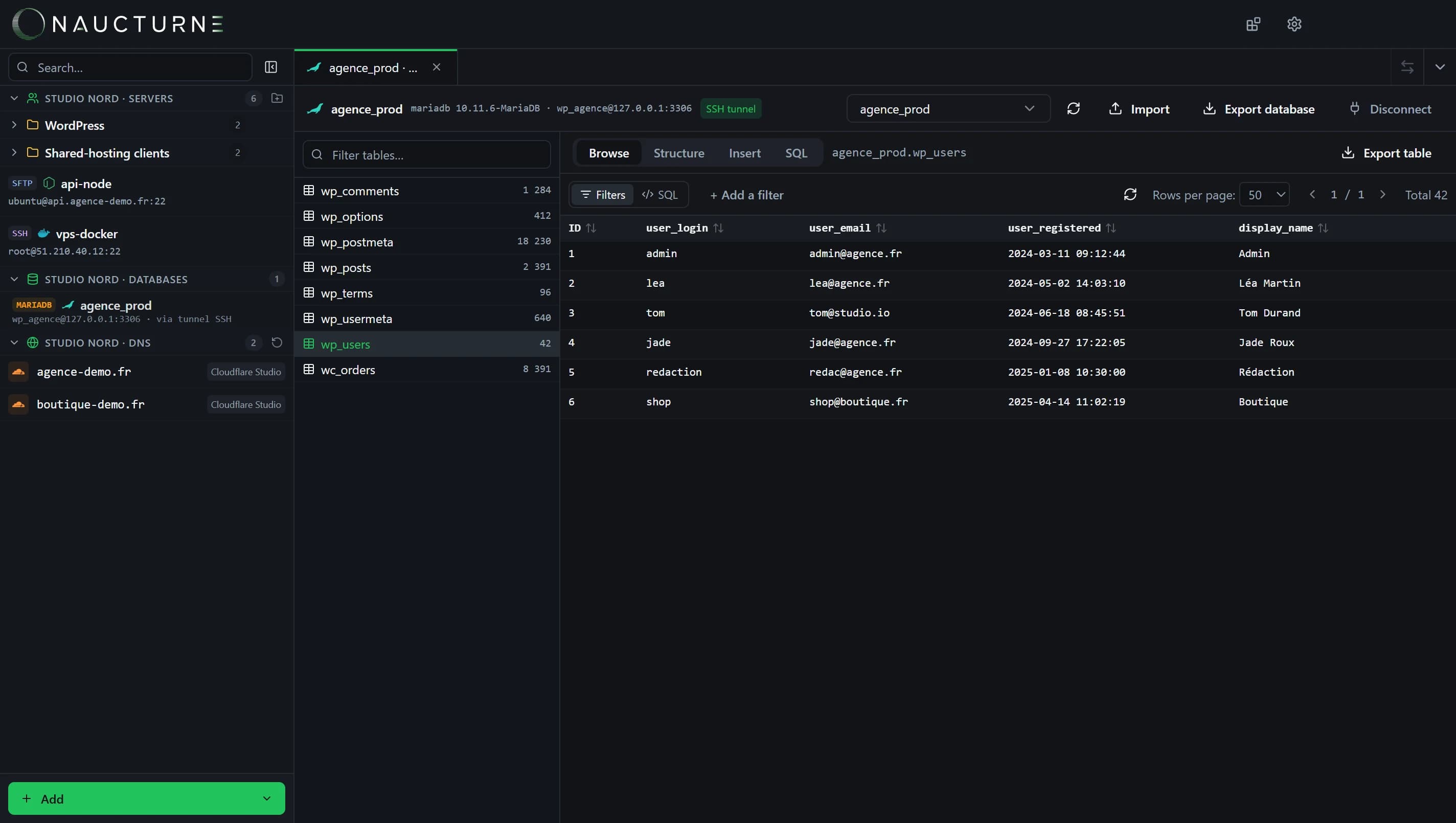
Three ways to connect
- Direct: the database port is reachable from your computer.
- SSH tunnel: the database only listens locally on the server; Naucturne goes through the site's SSH connection without exposing the port.
- PHP gateway (MySQL / MariaDB): for shared hosting reachable over FTP only. Naucturne uploads a small PHP script with a random name and token, talks to it through your site's URL, then deletes it when you disconnect.
Supported engines
- MySQL, MariaDB, PostgreSQL: direct or SSH tunnel (plus the PHP gateway for MySQL / MariaDB).
- SQLite: open a
.sqliteor.dbfile that lives on the server, picked in the remote explorer, without downloading it. Requires SSH access and Python 3 (sqlite3module) on the server. Read-only mode protects a production database. - Redis: keys are shown as a virtual
keystable, with TLS support (rediss://) for managed offerings.
Working with data
- Browse: pagination, sorting, and a filter builder that needs no SQL (or a manual
WHEREclause). - Structure: columns, types, keys and indexes.
- Insert: add a row through a form; existing rows are edited in place.
- SQL: an editor with execution and results.
- Import / Export: run a
.sqlscript, export a table or the whole database.
Free plan
The Free plan includes 10 database profiles. The PHP gateway and export are included from the Pro plan, and during the 14-day trial.
Keine Antwort gefunden?
Unser Team beantwortet jede Frage, jeden Fehlerbericht und jeden Vorschlag.