

All integrations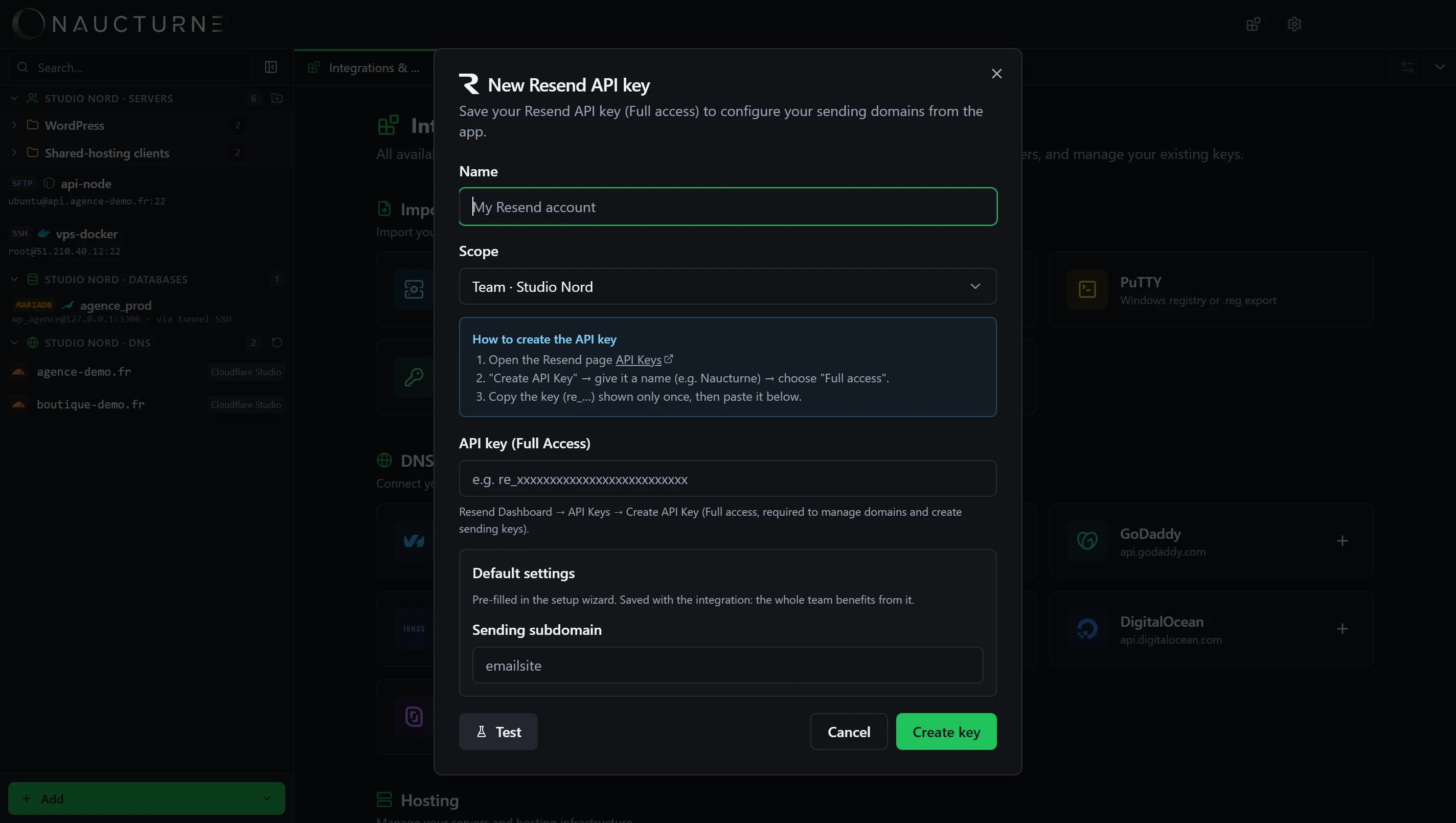
Resend
Transactional Email Service
Add a Resend domain and let Naucturne write the DNS setup, verify the domain and create your application's sending key.
What Naucturne does with Resend
Domain in one click
The sending domain is created at Resend from the wizard.
DNS written for you
SPF, DKIM and DMARC are written to your zone managed in Naucturne.
Sending key
Generate a send-only key to paste into your application.
Verification
Trigger and follow Resend verification from the app.
How to connect
- 1In Resend: API Keys, create a full-access key.
- 2In Naucturne: Integrations & Import → Mail server → Resend, paste the key.
- 3From a DNS zone, start "Transactional Email Service" and choose Resend.
Scope and limits
- Transactional email is included from the Pro plan.
- Automatic writing requires a zone managed by a connected DNS provider.
Frequently asked questions
Is the sending key different from the API key?
Yes: the API key manages the domain, the sending key can only send.
Is Resend available on the Free plan?
The key can be saved, but domain setup is included from Pro, and during the trial.
Ready to take back control of your servers?
Enjoy a 14-day free trial, no credit card required, then choose the plan that fits your team. Per-seat billing, adjustable anytime.