
Your servers, databases and DNS, in one app built for teams
SSH, SFTP, FTP, databases, DNS, transactional email and your hosting providers in a single tool. Share encrypted access and work together without overwriting each other's work.

All your protocols, one app
Replace four tools with one
No more juggling an FTP client, SQL client, registrar interface and email service dashboard. Everything lives in the same window.
Transfer client
SFTP, FTP, FTPS, SSH and S3 with a built-in terminal, in a dual-pane interface.
Database client
MySQL, MariaDB, PostgreSQL, SQLite and Redis, direct or over an SSH tunnel; PHP gateway for MySQL/MariaDB on shared hosting.
DNS management
Your Cloudflare, GoDaddy, OVH, IONOS, Namecheap, DigitalOcean and Scaleway zones, edited right from the client.
Transactional Email Service
Automatic Mailgun, SendGrid or Resend setup: sender domain and DNS records configured for you.
Works with your tools
Local and remote files, side by side
SFTP, FTP, FTPS and SSH in a two-pane local / remote interface. Drag files from one side to the other, compare folders, switch to sudo and open a built-in SSH terminal, without ever leaving the window.
- Bidirectional local ↔ remote drag and drop
- Cross-server transfers (server ↔ server), no local copy
- Built-in SSH terminal & transfer queue
- Multi-session tabs
The only client that reaches your database, everywhere
MySQL, MariaDB, PostgreSQL, SQLite and Redis, over a direct connection, an SSH tunnel, or a PHP gateway (MySQL/MariaDB) that works even on FTP-only shared hosting. Browse tables, filter without SQL, run queries and export, from the same app as your files.
Manage your DNS zones without leaving the app
Edit your Cloudflare, GoDaddy, OVH, IONOS, Namecheap, DigitalOcean and Scaleway zones right from the client: records, BIND import / export and detection of the real DNS host.
- 7 DNS providers, one editor
- BIND import / export
- Automatic detection of the actual DNS host
Connect a domain, transactional email is ready
Naucturne automatically configures Mailgun, SendGrid or Resend and sets SPF, DKIM, MX and DMARC records for you.
- Automatic sender domain setup
- SPF / DKIM / MX / DMARC set without errors
- Mailgun, SendGrid and Resend supported
Open your servers in Cursor or VS Code, in one click
From an SSH connection, launch your AI editor connected to the server: Naucturne installs keys, configures SSH and sends your site context to the assistant. An AI gateway makes it work even on shared hosting without SSH.
Open in one click
From an SSH server, click "Open in Cursor" or "Open in VS Code". Naucturne launches the editor connected to the server via Remote-SSH, ready to go.
Automatic SSH setup
Your SSH keys are installed and ~/.ssh is configured for you with the right permissions. No config files to edit by hand.
Context sent to the AI
Naucturne generates a .cursor/rules file so the assistant knows your site: server, folders, database profiles and sync rules.
- web-01CT 101 · 10.0.0.11site created
- db-01VM 102 · 10.0.0.12up to date
- shop-prodDroplet · 164.90.12.8IP updated
- shop-dbPostgreSQL 16 · managedup to date
- api-par1Instance · fr-par-1site created
Your VMs, containers and Droplets become sites, on their own
Connect Proxmox VE, DigitalOcean or Scaleway: Naucturne reads the inventory and creates one site per machine using your SSH access profile. New VM, changed IP, deleted machine: the list updates automatically.
- Automatic inventory sync
- Direct, through a ProxyJump bastion or NAT
- Managed databases, DNS zones and Spaces (S3) included
Work together without overwriting each other
The real problem with FTP/SSH in teams: two people edit the same file and one overwrites the other. Naucturne fixes that.
Live presence
See who is connected and which file each teammate is editing. Avoid opening a file someone else is already working on.
Activity log
Track team progress in real time: connections, transfers and edits. Ideal for oversight and catching mistakes immediately.
Conflict detection
If a file changed on the server since you opened it, the app blocks the overwrite and alerts you. No more lost versions when several people use FTP/SSH.
- LMLéa edited wp-config.phpjust now
- TDTom uploaded assets/app.js2 min ago
- JRJade added a DNS record on agence.fr8 min ago
- VSYou connected to production15 min ago
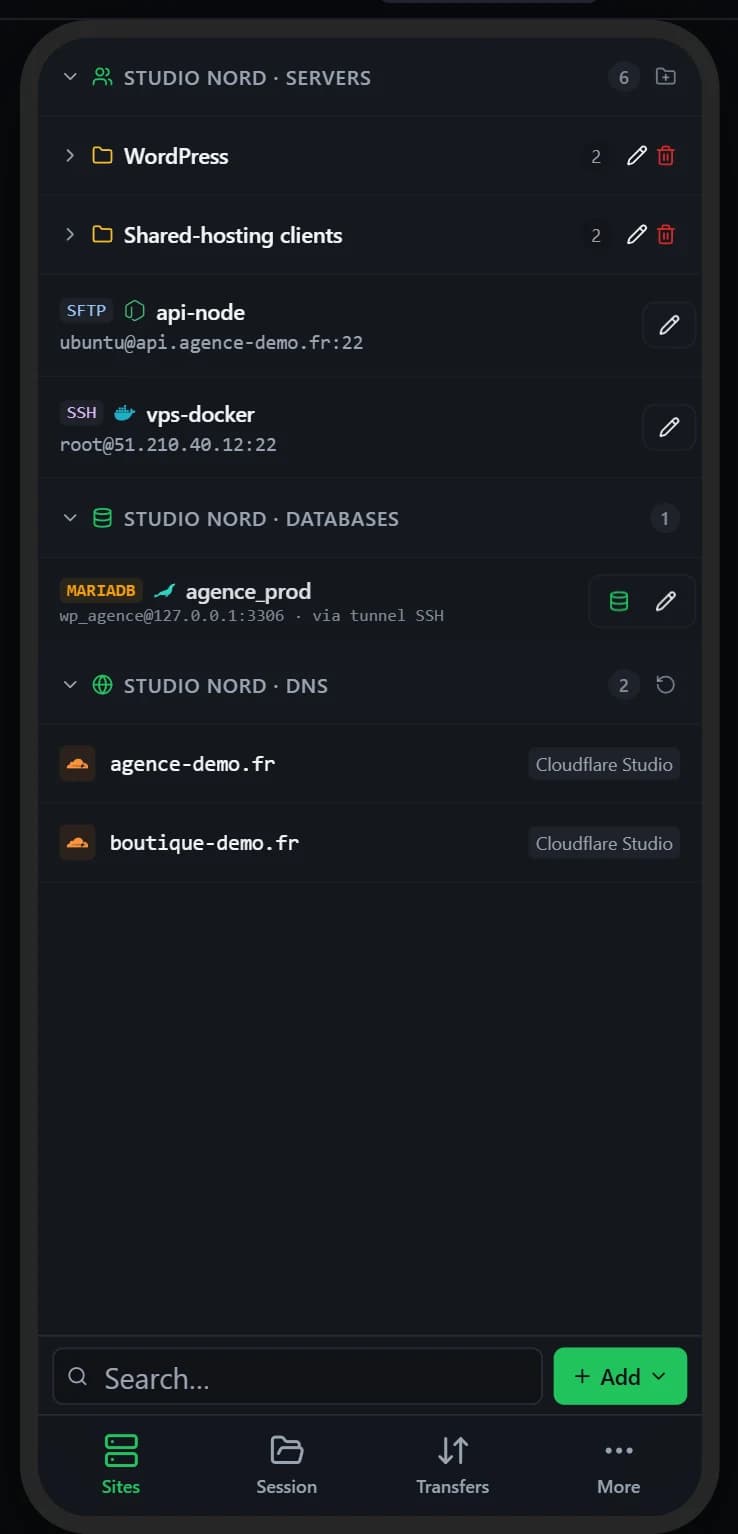
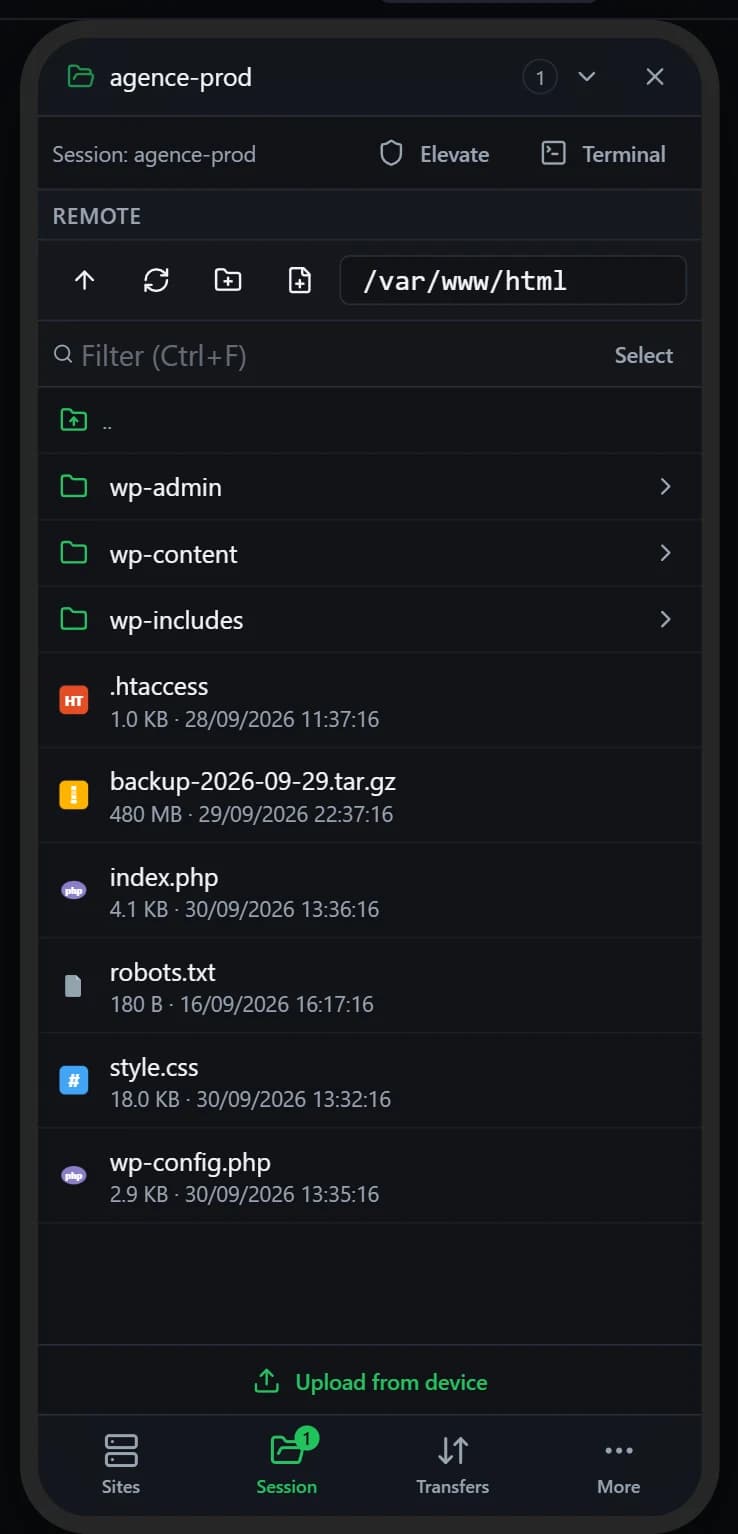
Your servers, in your pocket too
The mobile version brings the desktop screens to touch: same account, same encrypted vault, same team sites. It is in private beta: email us to get access.
- Server files and uploads from your phone
- SSH terminal and sudo mode
- Encrypted vault synced with your computers
What classic clients don't do
Termius, TablePlus, DBeaver, FileZilla or WinSCP each excel at one layer. Naucturne covers the full stack - database, DNS, email, AI - and lets your teams work together.
Your credentials never leave your machine in plain text
A zero-trust architecture built for sensitive credentials.
End-to-end encryption
Sensitive fields use an AES-256-GCM vault derived from a master password (PBKDF2-SHA512, 600,000 iterations); connection metadata is stored separately.
Team sharing
Share encrypted access via Supabase with per-member permissions, activity log and real-time presence.
Cross-platform
Windows and macOS (Linux soon), plus iPhone and Android in beta, with multi-device sync.
Up and running in minutes
From install to encrypted sharing with your team, the journey is guided end to end.
Install the app
Download Naucturne for Windows or macOS and create your encrypted vault. Import your FileZilla or WinSCP servers in one click.
Connect your account
Sign in to enable cloud sync and sharing.
Invite your team
Purchase seats, create a team and share encrypted access in real time.
Frequently asked questions
Ready to take back control of your servers?
Enjoy a 14-day free trial, no credit card required, then choose the plan that fits your team. Per-seat billing, adjustable anytime.