

All integrations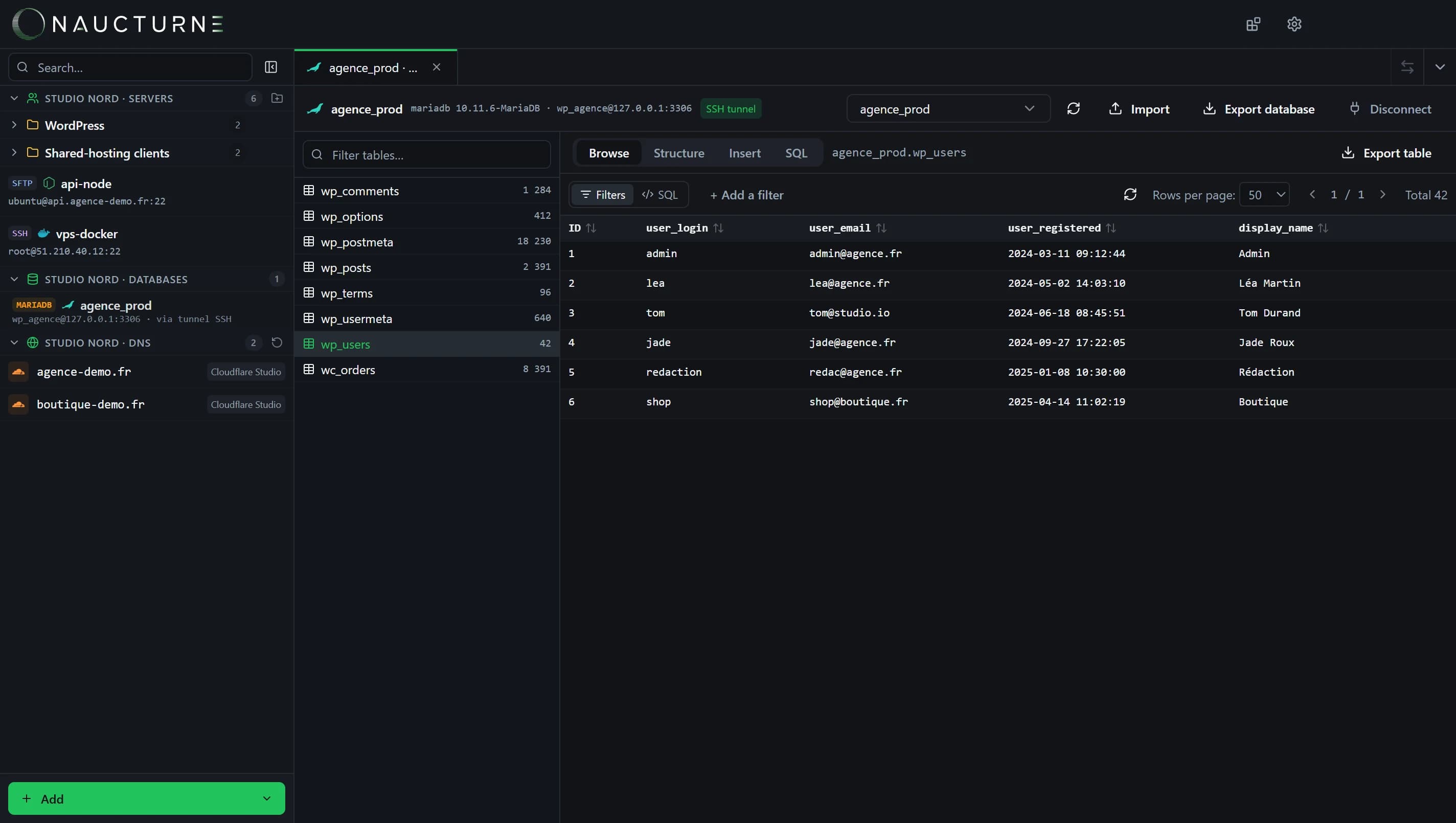
The database client, shared by every engine (here MariaDB).
Redis
Databases
Redis joins the database client: keys are shown as a virtual table you can browse, filter and export.
What Naucturne does with Redis
Virtual keys table
Each key becomes a row: name, type and value, with pagination.
Filters
Find a key by pattern without typing a command.
TLS
rediss:// connections for managed Redis (DigitalOcean, Upstash and more).
Export
Export the displayed keys for analysis or backup.
How to connect
- 1In the site manager, Databases tab, add a Redis profile.
- 2Enter host, port and password; tick TLS for a managed offering.
- 3Open the database from the sidebar and browse the keys table.
Scope and limits
- The Free plan includes 10 database profiles.
- Advanced commands (Lua, pub/sub) remain a job for redis-cli.
Frequently asked questions
Can I go through an SSH tunnel?
Yes, like the other engines, when Redis only listens locally on the server.
Are large key sets handled?
Keys are loaded page by page, without blocking the server.
Ready to take back control of your servers?
Enjoy a 14-day free trial, no credit card required, then choose the plan that fits your team. Per-seat billing, adjustable anytime.